GB WhatsApp for iOS/iPhone: What You Actually Need to Know
Why So Many People Search for This
A huge number of iPhone users search for GB WhatsApp every year, usually after hearing about its custom themes, hidden online status, and other features from friends using Android. It feels natural to assume the same app should work on an iPhone too. Unfortunately, the real answer is more complicated than a simple download link, and understanding why matters before you go looking any further.
What This Guide Will Cover
This guide explains honestly whether GB WhatsApp works on iOS, why it behaves so differently from Android in this specific case, and what genuinely safe alternatives exist if you want similar features on an iPhone. It also covers common scams that specifically target iPhone users searching for this exact app. By the end, you will understand exactly where things stand in 2026 and how to get the features you actually want safely.
The Short Answer: It Does Not Officially Exist for iOS
GB WhatsApp was built specifically for Android and installs through a file format that only works on Android devices. Apple’s iPhone operating system does not support installing apps this way at all, which means there is no genuine, direct version of GB WhatsApp built for iPhone. Any website or video claiming otherwise is almost always either mistaken or intentionally misleading.
Why Android and iOS Work So Differently Here
Android allows users to install apps from outside its official app store, a process often called sideloading, which is exactly how GB WhatsApp gets installed in the first place. Apple’s iPhone system is built around tighter control, requiring apps to go through official review before reaching a device under normal use. This fundamental difference is the entire reason a direct equivalent simply does not exist in the same form on iPhone.
Why This Matters More Than It Might Seem
This is not a small technical detail, it is the core reason this specific app category cannot cross over between platforms easily. Any method claiming to bypass this on a normal, non-jailbroken iPhone should be treated with serious suspicion right from the start. Understanding this distinction protects you from wasting time chasing something that was never going to work as advertised.
Common Scams Targeting iPhone Users
Because so many people search for this exact topic, several websites and videos have appeared claiming to offer a working GB WhatsApp version for iPhone. Many of these lead users through installing configuration profiles or unfamiliar third party apps that request unusual levels of access to your device. These profiles can potentially monitor device activity, redirect network traffic, or install unwanted software far beyond what a messaging app should ever need.
Why These Scams Are Especially Risky
Installing an unfamiliar configuration profile on an iPhone is a much bigger risk than a typical app installation, since these profiles can affect device wide settings rather than staying isolated like a normal app. Some of these pages also ask for personal information, app store credentials, or payment details under the promise of unlocking premium features. Recognizing this pattern early, before entering any personal details, is the best protection against falling for one of these schemes.
What About Jailbreaking
Jailbreaking is a process that removes some of Apple’s built in restrictions, technically opening the door to installing apps outside the official store. In theory, this could allow something closer to GB WhatsApp on an iPhone, though a genuine, actively maintained version rarely exists even within jailbreak communities. Jailbreaking itself carries significant risks, including voided warranties, security vulnerabilities, and instability that affects your entire device, not just one app.
Weighing Jailbreaking Against the Reward
Given how few genuine benefits this specific pursuit offers, jailbreaking your entire iPhone just to chase a modified WhatsApp version is rarely a reasonable trade. The security risks extend far beyond messaging, potentially exposing your photos, banking apps, and personal accounts to greater risk. For nearly everyone, this specific goal does not justify that level of risk to an otherwise secure device.
What Features Do People Actually Want
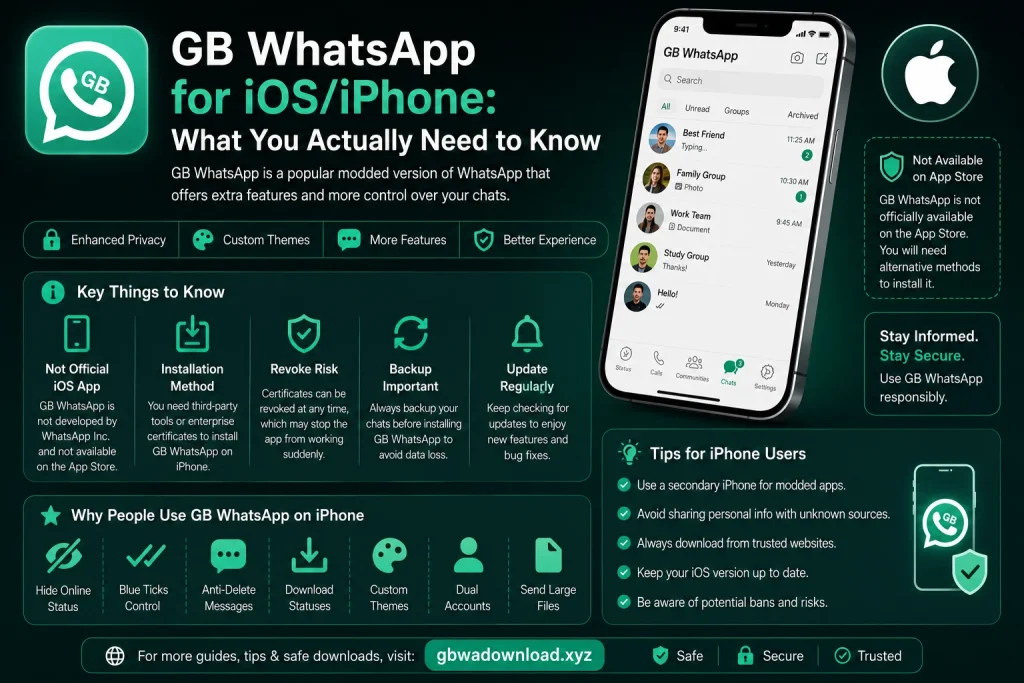
Understanding what draws people to GB WhatsApp in the first place helps identify better solutions. Most users are after specific things like hiding their online status, customizing chat appearances, or having more control over read receipts and privacy indicators. Looking at these individually often reveals that some version of what you want already exists safely within the official app.
Checking What the Official App Already Offers
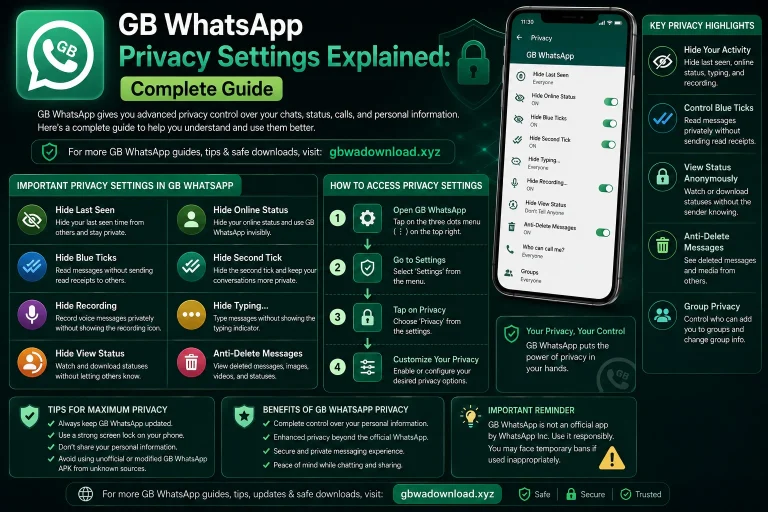
The official WhatsApp app has steadily added privacy features over the years, including options to hide your last seen status, control who sees your profile photo, and manage read receipts more precisely. Checking Settings, then Privacy, within the official app reveals options that cover a surprising number of the reasons people originally sought out modified versions. Taking a few minutes to explore these settings often solves the underlying want without needing any unofficial software at all.
Exploring Official Appearance Customization
While the official app does not offer the same wallpaper and theme customization as GB WhatsApp, it does allow chat wallpaper changes, font size adjustments, and light or dark mode switching. These options live within Settings, then Chats, then Chat Wallpaper and Display options. For many users, this level of customization is enough once they realize it exists and take the time to set it up.
What If You Genuinely Need Android Specific Features
If certain features genuinely only exist on the Android version and matter enough to you, a safer path is using an Android emulator on a separate computer rather than trying to force anything onto your iPhone directly. This keeps the modified app contained to a virtual environment rather than affecting your actual iPhone in any way. Your iPhone remains fully secure and untouched, while you access those specific features separately when needed.
Keeping Two Separate, Clean Environments
Running GB WhatsApp inside an emulator on a computer, while keeping your iPhone running only the official app, is a much cleaner separation than trying to blend the two. This approach avoids putting your primary device, the one holding your banking apps, photos, and personal information, at any unnecessary risk. It also avoids the disappointment of chasing a version for iPhone that realistically does not exist in a genuine, safe form.
A Word on Third Party WhatsApp Alternatives
Beyond GB WhatsApp specifically, various other messaging apps exist on the iPhone app store that offer different customization options entirely. These are separate, standalone apps rather than modified versions of WhatsApp, and they come with their own terms, features, and communities. Exploring these as their own option, rather than expecting them to replicate GB WhatsApp exactly, can sometimes uncover a genuinely useful alternative.
Evaluating Any Alternative App Carefully
Before installing any alternative messaging app, checking its reviews, developer information, and requested permissions is worth doing regardless of how polished it looks. A legitimate app available through the official App Store has already passed a baseline level of review that unofficial downloads never receive. This does not guarantee perfection, but it does provide a meaningfully higher baseline of safety compared to sideloaded or profile based installations.
Staying Skeptical of Future Claims
As it stands in 2026, no genuine, safe, actively working version of GB WhatsApp exists for a standard iPhone, and this is unlikely to change given how Apple’s operating system is fundamentally structured. Any future claims otherwise deserve the same healthy skepticism covered throughout this guide. Checking a source’s credibility carefully, rather than trusting a flashy video or webpage, remains your best defense going forward.
Final Thoughts
The honest answer for iPhone users is that GB WhatsApp does not have a genuine, safe, working version built for iOS, and most claims suggesting otherwise lead to scams or unnecessary security risks. The good news is that the official WhatsApp app already covers many of the specific features people originally wanted, once you take the time to explore its privacy and customization settings properly. For anything truly missing, using a separate Android emulator on a computer offers a much safer path than compromising your actual iPhone.